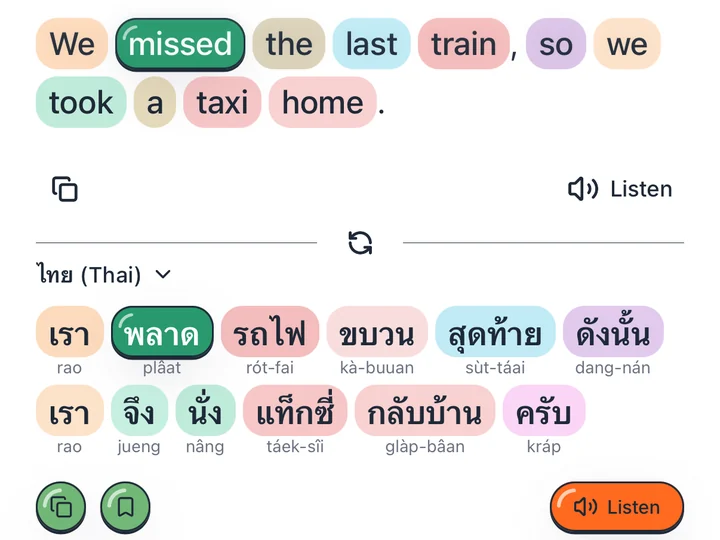
Colour by job
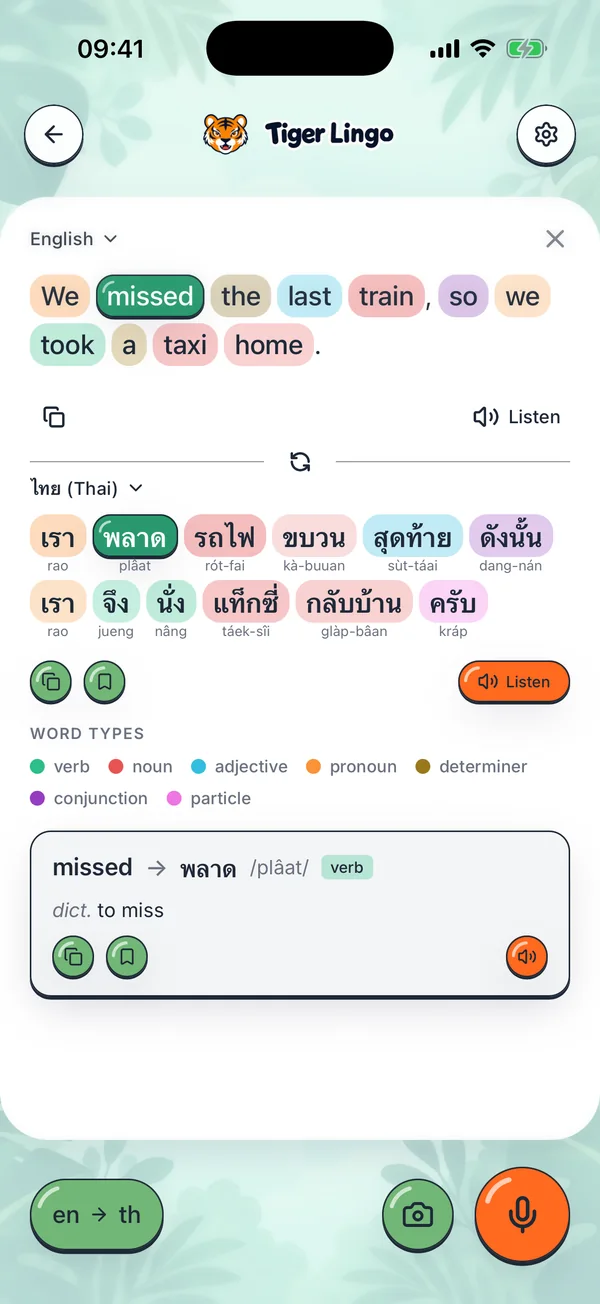
Every word is tinted by its part of speech and keeps that colour on both sides, so you can see where it went and what it turned into.


Tiger Lingo helps English speakers learn Asian languages — Thai and Chinese today, Korean, Japanese and Vietnamese next. Translate a sentence and see how it is built: every word coloured by its job, its meaning one tap away.

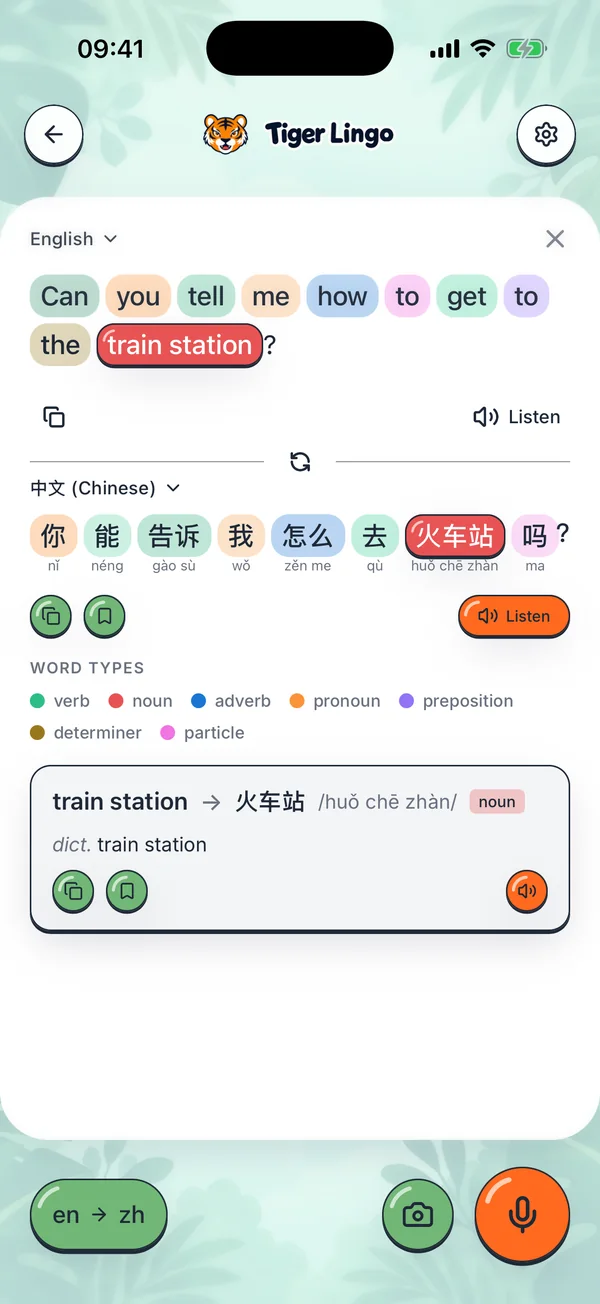
Thai and Chinese are written without spaces between words. Tiger Lingo splits the sentence for you, so 火车站 “train station” stays one word although it is three characters.
Every word is tinted by its part of speech and keeps that colour on both sides, so you can see where it went and what it turned into.
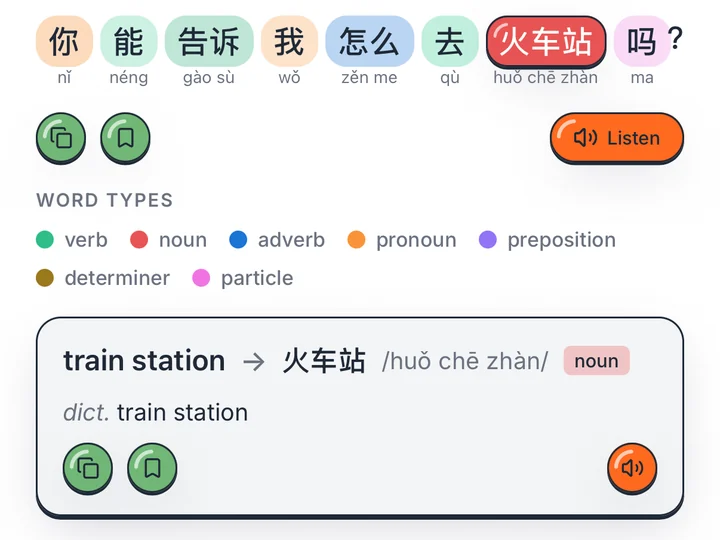
Tap a word to see what it means on its own and what kind of word it is, then save it. Romanization sits under each Thai word, pinyin under each Chinese one.
Dictate a sentence, point the camera at a menu or a sign, or have either side read aloud. Dictation and the camera stay on the phone.
Both translate to and from English. Korean, Japanese and Vietnamese come next, with more to follow.
On iPhone with iOS 26 or later, download a language and its sentences translate on the phone, offline too. Word meanings for a new sentence need a connection.
ไทย
Romanization under every Thai word.
中文
Simplified characters, with pinyin.
Tiger Lingo is free on iPhone: no ads, no subscriptions, and an account only if you want your history on every device.